Your PDF. Your starting point.
Read the original chart, zoom into the details and mark finished areas. For individual stitch tracking, align a grid and check it against the pattern.
Explore PDF trackingA cross-stitch companion for Mac, iPhone & iPad
Open charts, mark stitches and create patterns from photos on Mac, iPhone and iPad.
Free to download · macOS 14+ · iOS / iPadOS 17+

Made for the way you stitch
Read the original chart, zoom into the details and mark finished areas. For individual stitch tracking, align a grid and check it against the pattern.
Explore PDF trackingChoose a photo, crop it and set your pattern size and colors. Preview the chart before you commit to your next project.
Explore photo patternsRecord the DMC threads you own and make a shopping list for the colors you still need. Keep materials beside your project.
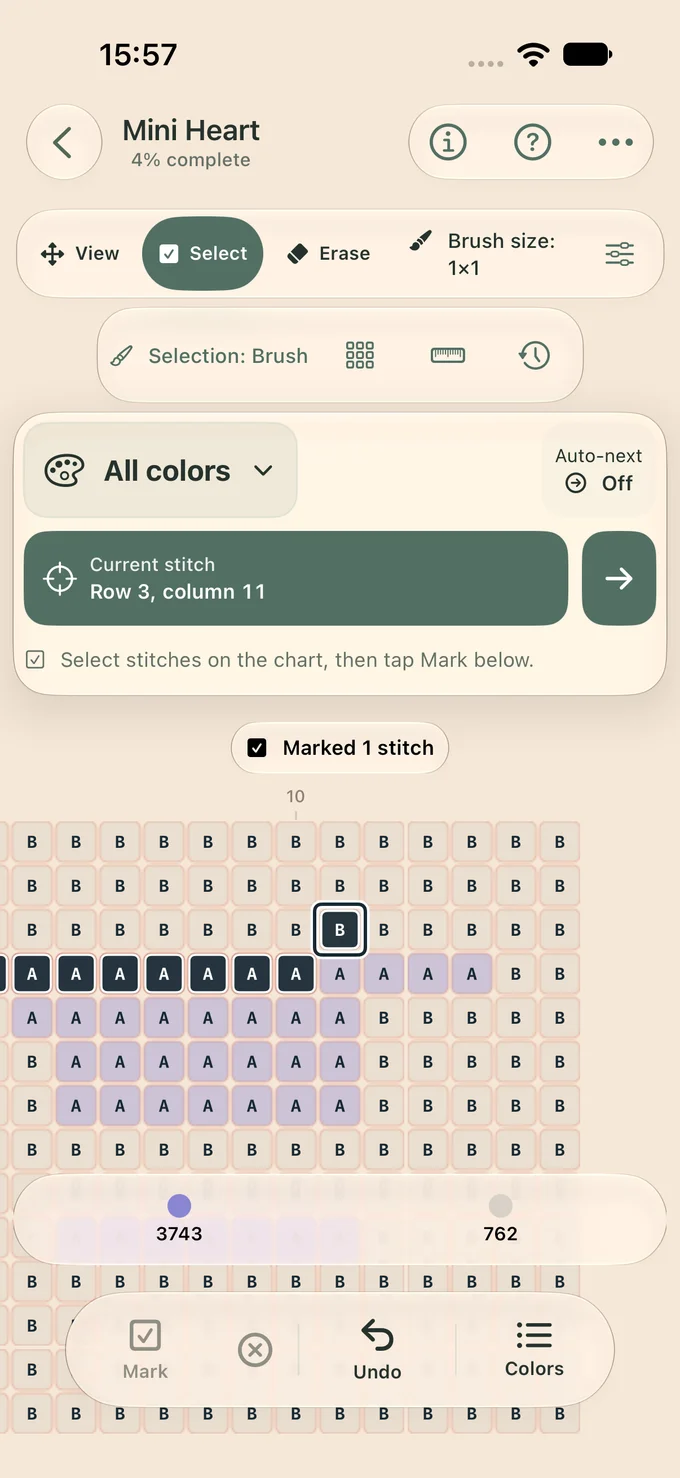
Explore floss organizationActual app screen · Mini Heart example project
A closer look
On a configured PDF page, highlight suggested symbol matches and check them against your original chart.
Select a stitch or an area, mark it complete, and undo a mark when you need to correct it.
Follow completed and remaining stitches, and keep notes and progress photos with your project.
Available chart readers include Pattern Maker, PCStitch, SAGA and XSPro. Supported variants vary; review the import preview.
A small moment of progress
Website demonstration; marks are not saved.
Guides & tools
Cross-Stitch Copilot is a cross-stitch pattern tracker for Mac, iPhone and iPad. It combines PDF and image chart reading, stitch marking, photo-to-pattern creation, progress tracking and DMC floss organization.
Yes. Import a PDF to read the original chart and mark finished areas. Individual cell tracking needs a configured, aligned grid. Review detected symbols and the color key; protected files and some chart layouts may not convert to exact stitch data.
Yes. Choose and crop a photo, adjust the chart size and color settings, then preview the pattern. The resulting chart uses cells with colors and symbols you can follow as you stitch.
The app is free to download as of 4 November 2026. Check the App Store for current availability, in-app purchases and subscription information for your region.
No app account is required to begin. Your projects save on your device. Where available, iCloud synchronization uses your Apple account; you can also export a backup.
This website links to the Apple App Store version for Mac, iPhone and iPad. It does not offer an Android download.